Keycloak
Configure Keycloak
This guide will cover how to configure Keycloak as an identity provider for OpenFaaS IAM.
-
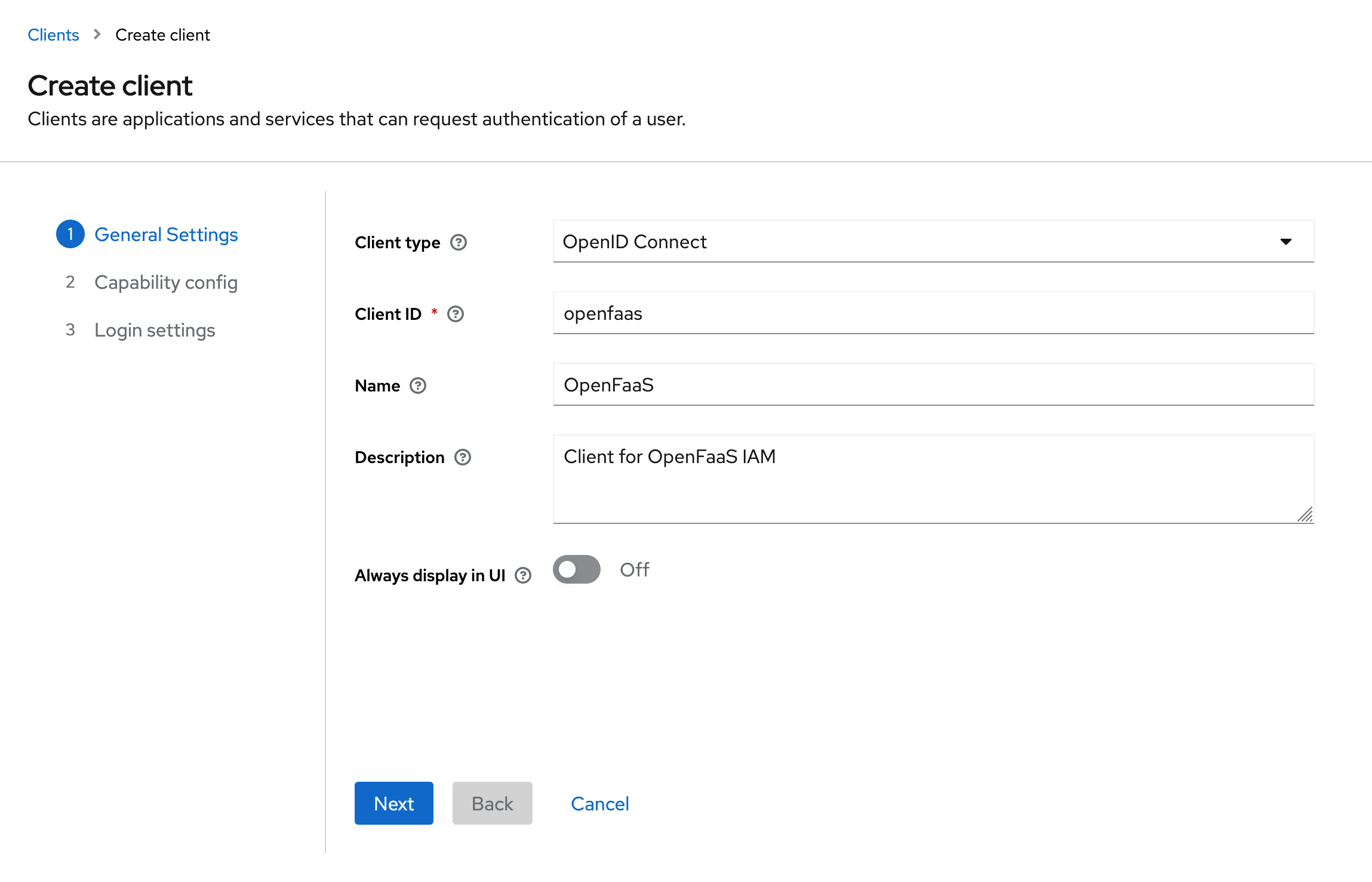
Create a new client in your Keycloak realm with Client Type OpenID Connect.
-
Configure the authentication flows for the client.
Enable the Standard Flow (Authorization Code Flow) for the client.
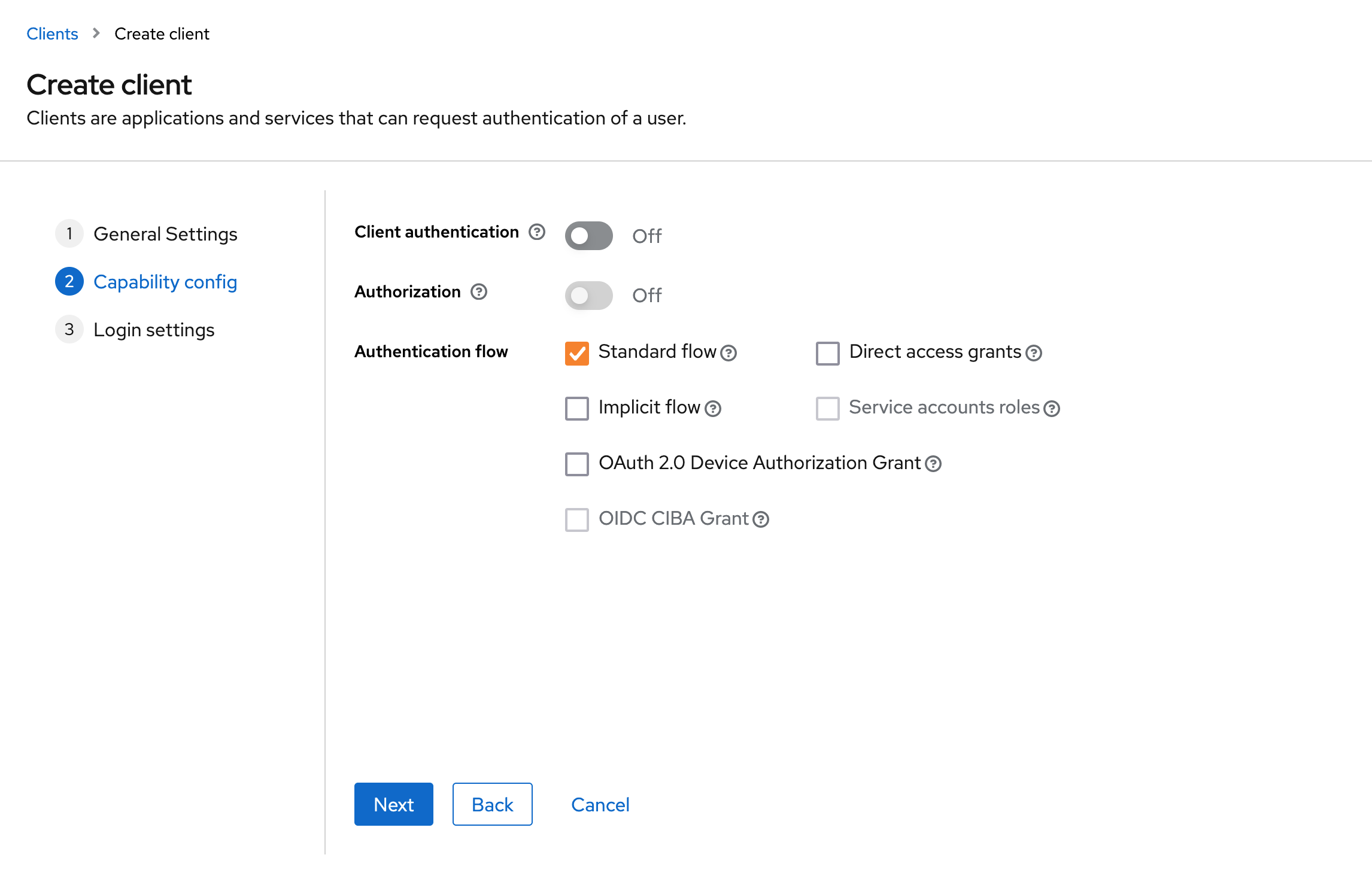
To allow logging in with the CLI using the Device Authorization flow, also enable the OAuth 2.0 Device Authorization Grant option.
-
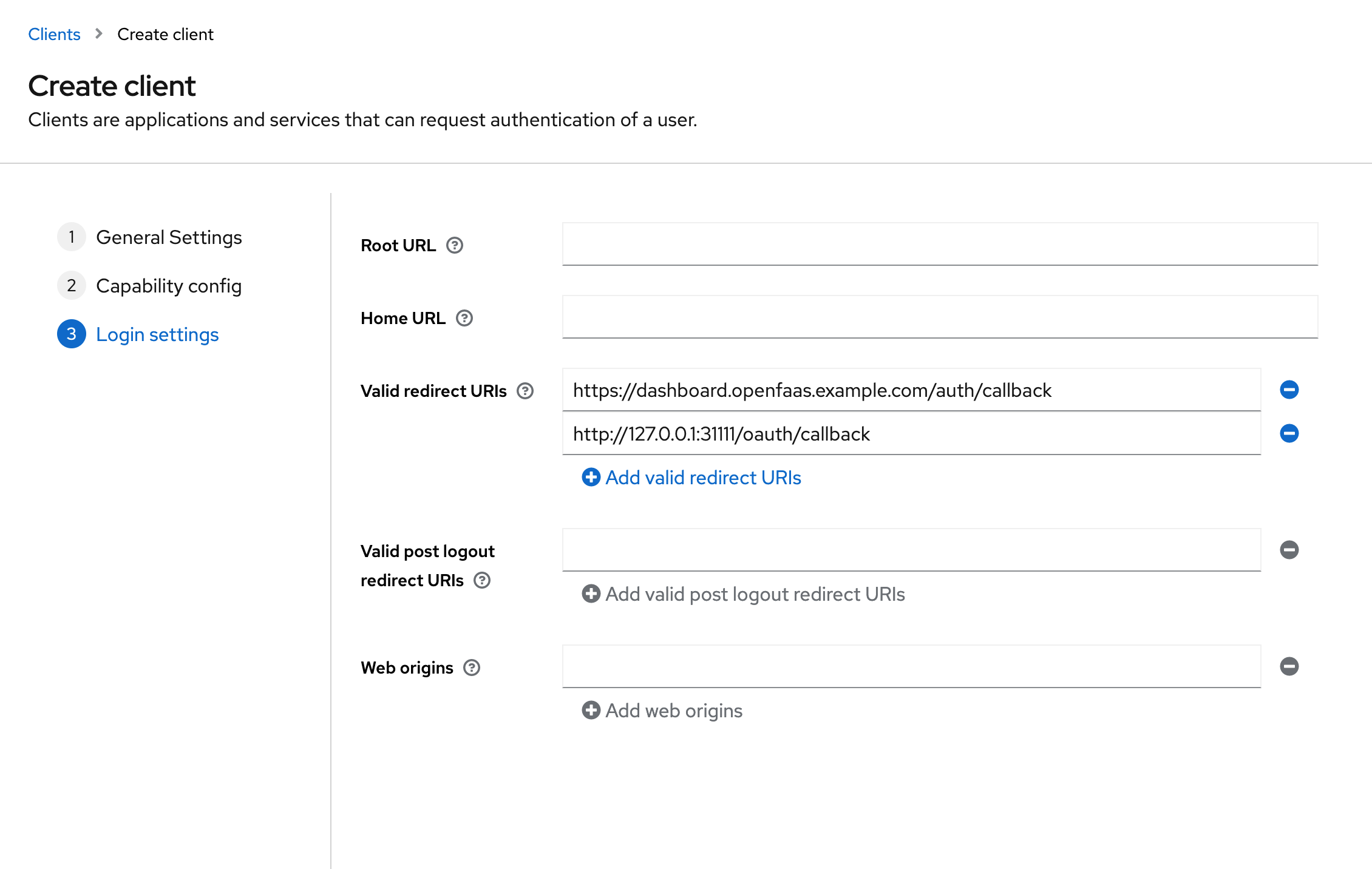
Add the callback URLs for the CLI and dashboard to the list of valid redirect URIs.
Add
http://127.0.0.1:31111/oauth/callbackfor the CLI. If you are deploying the OpenFaaS dashboard, add the redirect URI for your dashboard e.ghttps://dashboard.openfaas.example.com/auth/callback.The CLI callback URL is not required if you only intend to use the Device Authorization flow for the CLI.
-
Register your Keycloak provider with OpenFaaS
Register your Keycloak client as a trusted issuer for OpenFaaS IAM creating a JwtIssuer object in the OpenFaaS namespace.
Example issuer for a Keycloak provider:
---
apiVersion: iam.openfaas.com/v1
kind: JwtIssuer
metadata:
  name: keycloak.example.com
  namespace: openfaas
spec:
  iss: https://keycloak.example.com/realms/openfaas
  aud:
    - openfaas
  tokenExpiry: 12h
Set the
issto the URL of your Keycloak provider.The
audfield needs to contain a set of accepted audiences. For Keycloak this is the client id that was selected in the first step.The
tokenExpiryfield can be used to set the expiry time of the OpenFaaS access token.
Login with the faas-cli
To login with the faas-cli you can use either the Device Authorization flow or the Authorization Code flow.
See SSO with the faas-cli for how to install the CLI and a full reference of the available login flags and flows.
Device Authorization flow
Use this flow to log in from a remote or headless machine where no local browser is available. It requires the OAuth 2.0 Device Authorization Grant option to be enabled on the client.
faas-cli pro auth \
  --grant device_code \
  --authority https://keycloak.example.com/realms/openfaas \
  --client-id CLIENT_ID
The CLI prints a verification URL and a one-time code. Open the URL in a browser on any device, enter the code and complete the login with Keycloak.
Authorization Code flow
This flow is an alternative to the Device Authorization flow. It requires the Standard Flow to be enabled on the client (see step 2).
The CLI opens a browser to sign in and starts a local server to receive the token on the callback URL http://127.0.0.1:31111/oauth/callback, so this URL needs to be added to the list of valid redirect URIs on the client (see step 3).
faas-cli pro auth \
  --authority https://keycloak.example.com/realms/openfaas \
  --client-id CLIENT_ID